

.svg)


What Does It Mean When an Order Is Shipped?
Key Takeaways
- When an order is shipped, it means the item has been picked, packed, assigned a shipping label, and handed off to a carrier. The package is on its way but has not yet been delivered. Shipped means the package is with the courier, not that it's arriving today.
- Shipped does not guarantee the package is actively moving at that exact moment. Packages can sit at carrier facilities for 12-48 hours after shipping before the next scan event appears in tracking.
- Customers should look for the tracking number and status updates to follow the order from shipped to in transit, out for delivery, and delivered. Each status corresponds to a distinct point in the delivery process.
- For eCommerce brands, faster order-to-ship time reduces "Where is my order?" support tickets and improves repeat purchase rates. The gap between checkout and the first tracking update is where customer expectations are won or lost.
- ShipNetwork, as a 3PL, focuses on 1-day fulfillment and accurate tracking so brands can give reliable delivery timelines to their customers.
What Does "Order Shipped" Actually Mean?
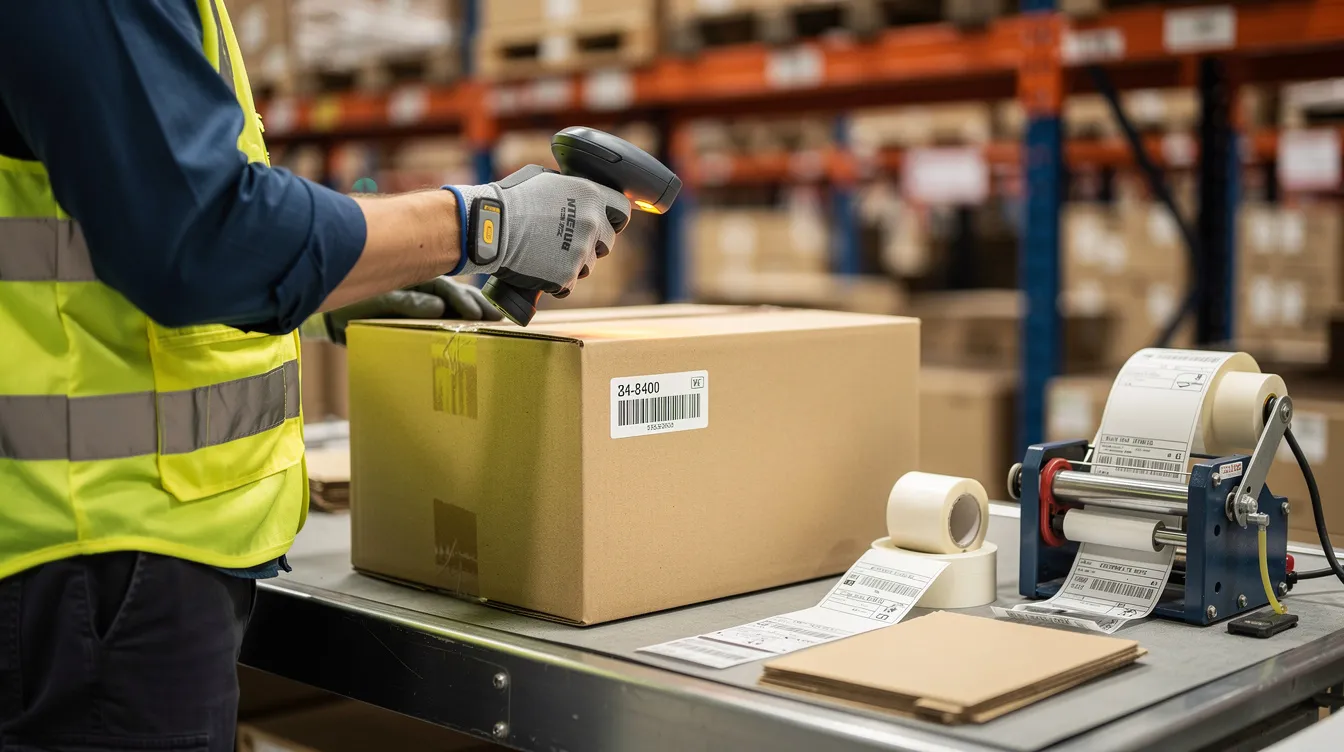
Once an order is shipped, it has been picked from warehouse inventory, packed, passed quality checks, had a shipping label applied, and been accepted by the carrier. Shipped means the order is with the courier now. The carrier transfers responsibility for physical transportation during this handoff, even though the seller still owns the customer relationship and handles any exceptions.
At this stage the parcel enters the carrier's network, but it may not yet appear to be moving in real time on order tracking pages. Shipped status confirms the package is in transit to the customer, though it does not indicate when delivery will occur. Shipped does not mean the package is close to delivery. It is a fulfillment milestone, not a delivery promise.
Most merchants automatically send status updates, including the tracking number, as soon as the package status flips to shipped. A practical example: a skincare brand receives a Monday morning order, and the fulfillment center picks, packs, and labels it by early afternoon. The order is dispatched by close of business Monday, even though the carrier's first scan may not register until Tuesday morning.
The Order Status Timeline: From Placed to Delivered
Customers see multiple shipping statuses between clicking "Buy" and holding the product. Each one maps to specific actions in the warehouse or carrier network. Here is what the full order fulfillment process looks like from the customer's perspective and behind the scenes.
Delivery driver scans the parcel at the customer's doorstep, mailbox, or parcel locker. Delivered means the package has reached the recipient's address.
Most out for delivery shipments are delivered the same day. Status language varies slightly by carrier, but the general sequence is consistent across USPS, UPS, FedEx, and regional carriers.
"Label Created" vs. "Shipped": Why Tracking Can Look Confusing
Many customers see "label created" and assume the package is already on a truck headed to their final destination. In reality, the parcel may still be sitting on a packing station in the warehouse.
A shipping label is created when the order is packed and prepared for shipping. At that point, a tracking number exists in the carrier's system, but no physical scan has occurred. Tracking activation occurs after the carrier scans the package at carrier pickup or the origin facility. Until that scan happens, the tracking number may show "label created," "information received," or simply return no data at all.
This gap, sometimes called the label-to-scan gap, typically lasts a few hours to 24 hours under normal operations. During peak season (November through December), it can stretch to 12-36 hours even when the order left the warehouse promptly. Tracking updates may take up to 24 hours to show after activation, especially during evenings or weekends.
Brands reduce confusion by clearly distinguishing these two statuses in their status updates and on branded tracking pages. ShipNetwork auto-generates shipping labels as part of its 1-day fulfillment flow and syncs tracking numbers back to storefronts so the sequence stays clear for customers.
What Happens Before an Order Ships (The Hidden Fulfillment Work)
Everything between "order placed" and "order shipped" happens out of sight but determines how fast and accurately customers receive their packages. Here is what that fulfillment work involves:
- Inbound receiving. The 3PL receives inventory from manufacturers, counts and inspects SKUs, and shelves them in designated storage locations. Accuracy here means orders can ship the moment they arrive in the system.
- Order picking. Warehouse associates use handheld scanners or pick-to-light systems to locate items. Barcode scans at this step prevent wrong-item shipments and support 100% order accuracy.
- Packing. The right box or mailer is selected, protective fill and any branded inserts are added, and the label is applied so barcodes stay scannable.
- Quality checks. SKUs and quantities are verified against the order. For regulated products, lot tracking, temperature control requirements, and required documentation are confirmed.
- Carrier and service selection. Based on weight, dimensions, destination, and promised delivery speed, an optimization engine like What Does It Mean When an Order Is Shipped?Key Takeaways
- When an order is shipped, it means the item has been picked, packed, assigned a shipping label, and handed off to a carrier. The package is on its way but has not yet been delivered. Shipped means the package is with the courier, not that it's arriving today.
- Shipped does not guarantee the package is actively moving at that exact moment. Packages can sit at carrier facilities for 12-48 hours after shipping before the next scan event appears in tracking.
- Customers should look for the tracking number and status updates to follow the order from shipped to in transit, out for delivery, and delivered. Each status corresponds to a distinct point in the delivery process.
- For eCommerce brands, faster order-to-ship time reduces "Where is my order?" support tickets and improves repeat purchase rates. The gap between checkout and the first tracking update is where customer expectations are won or lost.
- ShipNetwork, as a 3PL, focuses on 1-day fulfillment and accurate tracking so brands can give reliable delivery timelines to their customers.
- The Order Status Timeline: From Placed to DeliveredCustomers see multiple shipping statuses between clicking "Buy" and holding the product. Each one maps to specific actions in the warehouse or carrier network. Here is what the full order fulfillment process looks like from the customer's perspective and behind the scenes.StatusWhat Customers SeeWhat's Happening Behind the ScenesOrder PlacedConfirmation email, payment authorizedPayment verification, fraud check, order imported into the fulfillment system (e.g., from Shopify or WooCommerce into the WMS)Processing"Your order is being processed"Inventory allocation, queueing for picking, address validation, fraud screeningLabel CreatedTracking number appears, but tracking may say "pending"Shipping label printed, tracking number assigned, package staged for carrier pickupShipped"Shipped" or "Accepted by carrier"Carrier pickup from fulfillment center dock, initial acceptance scan, tracking beginsIn Transit"Arrived at facility," "Departed sort facility"Package moves through regional sorting hubs via truck or air, scans can be sporadicOut for Delivery"Out for delivery" notificationPackage loaded onto a last mile delivery vehicle at the local distribution centerDelivered"Delivered" with location noteDelivery driver scans the parcel at the customer's doorstep, mailbox, or parcel locker. Delivered means the package has reached the recipient's address.Most out for delivery shipments are delivered the same day. Status language varies slightly by carrier, but the general sequence is consistent across USPS, UPS, FedEx, and regional carriers."Label Created" vs. "Shipped": Why Tracking Can Look ConfusingMany customers see "label created" and assume the package is already on a truck headed to their final destination. In reality, the parcel may still be sitting on a packing station in the warehouse.A shipping label is created when the order is packed and prepared for shipping. At that point, a tracking number exists in the carrier's system, but no physical scan has occurred. Tracking activation occurs after the carrier scans the package at carrier pickup or the origin facility. Until that scan happens, the tracking number may show "label created," "information received," or simply return no data at all.This gap, sometimes called the label-to-scan gap, typically lasts a few hours to 24 hours under normal operations. During peak season (November through December), it can stretch to 12-36 hours even when the order left the warehouse promptly. Tracking updates may take up to 24 hours to show after activation, especially during evenings or weekends.Brands reduce confusion by clearly distinguishing these two statuses in their status updates and on branded tracking pages. ShipNetwork auto-generates shipping labels as part of its 1-day fulfillment flow and syncs tracking numbers back to storefronts so the sequence stays clear for customers.What Happens Before an Order Ships (The Hidden Fulfillment Work)Everything between "order placed" and "order shipped" happens out of sight but determines how fast and accurately customers receive their packages. Here is what that fulfillment work involves:
- Inbound receiving. The 3PL receives inventory from manufacturers, counts and inspects SKUs, and shelves them in designated storage locations. Accuracy here means orders can ship the moment they arrive in the system.
- Order picking. Warehouse associates use handheld scanners or pick-to-light systems to locate items. Barcode scans at this step prevent wrong-item shipments and support 100% order accuracy.
- Packing. The right box or mailer is selected, protective fill and any branded inserts are added, and the label is applied so barcodes stay scannable.
- Quality checks. SKUs and quantities are verified against the order. For regulated products, lot tracking, temperature control requirements, and required documentation are confirmed.
- **Carrier and service selection.
- Shipped vs. In Transit vs. Out for DeliveryThese three statuses represent successive stages of the shipping process, and understanding each helps set realistic customer expectations.Shipped is the handoff point. The package leaves the fulfillment center and enters the carrier's network after carrier pickup and an initial scan. At this stage, tracking has minimal data beyond that first confirmation.In transit is similar to shipped but indicates active movement. The package moves through distribution networks toward the delivery address. Packages are sorted at multiple hubs before reaching the local delivery center, and scans can be intermittent, especially on long-distance ground routes. Transit time between shipped and delivered typically takes 3-7 business days for standard ground. According to parcelLab's 2025 U.S. eCommerce Shipping Study, average post-ship delivery times range from about 3 days for health and beauty products to 5.3 days for homeware.Out for delivery indicates the package is on its final route. It is the final stage: the parcel has arrived at the local terminal, been loaded onto a delivery vehicle, and is en route to the delivery address. Out for delivery means the package should typically arrive that same day.Last-mile delivery is the final step in shipping logistics. It involves delivering packages to the customer's doorstep and often faces challenges like traffic and weather. Most last mile deliveries occur within urban environments, though rural residential deliveries can add time. Last-mile delivery can significantly impact customer satisfaction because it is the only part of the journey the recipient actually sees.Why a Shipped Order's Tracking Might Not UpdateGaps in tracking updates are common and do not always mean a package is lost. They often reflect how carriers batch and scan parcels across their network.
- Carrier scan delays. Pallets of packages may travel between hubs without intermediate scans, so tracking can show the same location for 24-72 hours. The package may sit at facilities for 12-48 hours after shipping before the next event logs.
- Weekends and holidays. Many carriers reduce operations on Saturdays, pause on Sundays, and observe federal holidays. This can add 1-3 calendar days with no new scans even though the shipment is still in progress.
- Peak season volume. From Black Friday through Christmas, facilities operate at capacity. Physical delays and slower data updates are both common.
- Missed handoffs or weather. A trailer that misses a dispatch window, incorrect addresses requiring rerouting, or weather disruptions can freeze status updates temporarily.
- Order cutoff times. What time must an order arrive in the system for same-day or next-day shipping, Monday through Friday? How consistently is that cutoff met?
- Fulfillment SLAs. Is there a guaranteed 1-day fulfillment commitment from order import to carrier handoff? What happens when the SLA is missed?
- Tracking sync. How are tracking numbers generated and shared? Is there instant sync to Shopify or other platforms, branded tracking pages, and automated email or SMS confirmation?
- Stalled shipment monitoring. Is there a dedicated operations team watching for packages without scans, or does that fall into a generic ticket queue? What escalation path exists when a package appears lost?
- Carrier optimization. Does the 3PL use multi-carrier selection to balance cost, reliability, and transit time for each order? Or does every package go through the same carrier regardless of destination?
- Shipping policy alignment. Are the delivery timelines promised at checkout realistic given the current fulfillment and carrier network? Do those estimates adjust during peak season?

- FAQ: Common Questions About "Order Shipped" StatusDoes "order shipped" mean the package has left the country for international shipments?No. "Order shipped" only confirms the parcel left the seller or 3PL and entered a carrier's network. It does not guarantee it has departed the origin country. For cross-border orders, look for statuses like "departed export facility" or "customs clearance in progress" to understand international progress.Can an order show as shipped even if the tracking number doesn't work yet?Yes. Tracking links may show errors or "not found" for a few hours after the order is marked shipped while carrier systems sync the new tracking number. Wait up to 24 hours before raising a concern, especially during evenings, weekends, or holidays when carrier data loads run slower.Is it possible to change the shipping address after an order is shipped?Once an order is shipped, changing the address is difficult and may require a carrier-level intercept or reroute request, which is not always guaranteed. Contact the seller immediately with your order ID and tracking number. Some carriers offer paid address correction or hold-for-pickup options.Why does my package say "delivered" when I don't see it?"Delivered" means the delivery driver scanned the package per carrier protocol, but it may have been left at a side door, mailroom, parcel locker, or with a neighbor. Check those locations, wait 24 hours for a potential late-evening drop, and then contact the seller or carrier if the package is still missing.How can my business reduce customer confusion about shipped and delivery statuses?Add a clear shipping policy and FAQ page that defines each status and typical timeframes. Use branded tracking pages and proactive status updates via email or SMS. A 3PL like ShipNetwork that syncs real-time tracking data from multiple carriers helps keep every customer informed without manual work from your team. selects the best carrier and service level, balancing costs against transit time and reliability.
Efficient pre-shipment workflows enable most orders to be shipped the same day or within one business day, shrinking the window between checkout and the first tracking update.
Shipped vs. In Transit vs. Out for Delivery
These three statuses represent successive stages of the shipping process, and understanding each helps set realistic customer expectations.
Shipped is the handoff point. The package leaves the fulfillment center and enters the carrier's network after carrier pickup and an initial scan. At this stage, tracking has minimal data beyond that first confirmation.
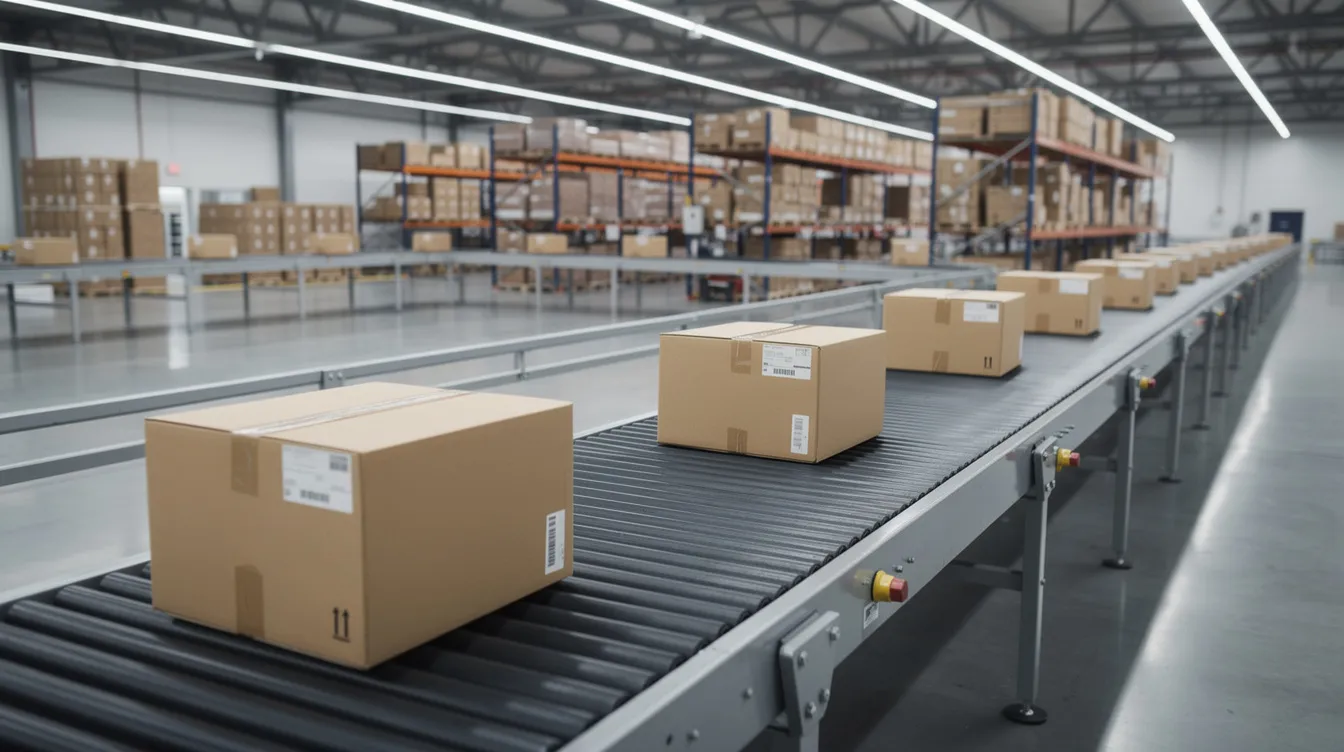
In transit is similar to shipped but indicates active movement. The package moves through distribution networks toward the delivery address. Packages are sorted at multiple hubs before reaching the local delivery center, and scans can be intermittent, especially on long-distance ground routes. Transit time between shipped and delivered typically takes 3-7 business days for standard ground. According to parcelLab's 2025 U.S. eCommerce Shipping Study, average post-ship delivery times range from about 3 days for health and beauty products to 5.3 days for homeware.
Out for delivery indicates the package is on its final route. It is the final stage: the parcel has arrived at the local terminal, been loaded onto a delivery vehicle, and is en route to the delivery address. Out for delivery means the package should typically arrive that same day.
Last-mile delivery is the final step in shipping logistics. It involves delivering packages to the customer's doorstep and often faces challenges like traffic and weather. Most last mile deliveries occur within urban environments, though rural residential deliveries can add time. Last-mile delivery can significantly impact customer satisfaction because it is the only part of the journey the recipient actually sees.
Why a Shipped Order's Tracking Might Not Update
Gaps in tracking updates are common and do not always mean a package is lost. They often reflect how carriers batch and scan parcels across their network.
- Carrier scan delays. Pallets of packages may travel between hubs without intermediate scans, so tracking can show the same location for 24-72 hours. The package may sit at facilities for 12-48 hours after shipping before the next event logs.
- Weekends and holidays. Many carriers reduce operations on Saturdays, pause on Sundays, and observe federal holidays. This can add 1-3 calendar days with no new scans even though the shipment is still in progress.
- Peak season volume. From Black Friday through Christmas, facilities operate at capacity. Physical delays and slower data updates are both common.
- Missed handoffs or weather. A trailer that misses a dispatch window, incorrect addresses requiring rerouting, or weather disruptions can freeze status updates temporarily.
A general guideline: wait 3-5 business days without any scan movement (for domestic ground) before contacting the seller or carrier. Have your tracking number, order ID, and shipping address ready when you reach out.
For brands, a good fulfillment partner monitors carrier reliability and can proactively intervene or re-ship when a shipment clearly stalls, rather than waiting for support queries to surface the problem.
What "Order Shipped" Means for Your Brand and CX
Many "Where is my order?" support tickets start because customers do not understand what "order shipped" or "in transit" actually means. Clear communication around each status is not a nice-to-have. It directly protects brand perception and repeat purchase rates.
Slow order-to-ship times feel like broken promises. If it takes 3-4 days just to reach "shipped," customers perceive slowness regardless of how fast the carrier moves after that. A Forrester-commissioned study found that more than 80% of eCommerce decision makers believe delivery speed, cost, and communication strongly influence whether a customer will buy and whether they will return. OnTrac research shows that 70% of consumers consider three or more days "slow delivery" and may shop elsewhere.
Fast, consistent movement from order placed to shipped calms anxiety and reduces support volume. Accurate tracking updates and a clear shipping policy on your tracking page help manage expectations when normal carrier delays occur. For scaling brands, partnering with a 3PL that automates status updates is more effective than building internal logistics teams.
What to Ask Your Fulfillment Partner About "Shipped" Status
Not all fulfillment partners define or manage "order shipped" the same way. Before signing, ask specific questions:
- Order cutoff times. What time must an order arrive in the system for same-day or next-day shipping, Monday through Friday? How consistently is that cutoff met?
- Fulfillment SLAs. Is there a guaranteed 1-day fulfillment commitment from order import to carrier handoff? What happens when the SLA is missed?
- Tracking sync. How are tracking numbers generated and shared? Is there instant sync to Shopify or other platforms, branded tracking pages, and automated email or SMS confirmation?
- Stalled shipment monitoring. Is there a dedicated operations team watching for packages without scans, or does that fall into a generic ticket queue? What escalation path exists when a package appears lost?
- Carrier optimization. Does the 3PL use multi-carrier selection to balance cost, reliability, and transit time for each order? Or does every package go through the same carrier regardless of destination?
- Shipping policy alignment. Are the delivery timelines promised at checkout realistic given the current fulfillment and carrier network? Do those estimates adjust during peak season?
How ShipNetwork Helps You Ship Faster and Smarter
ShipNetwork is a U.S.-based 3PL built for fast-growing eCommerce brands that need their order shipped status to appear quickly and reliably after checkout.
Orders received by the cutoff are picked, packed, and shipped within one business day under ShipNetwork's 1-day fulfillment SLA. Every order is verified with barcode scans at each step, backed by a 100% order accuracy guarantee. ShipNetwork's distributed fulfillment network reaches 98% of the U.S. population within 1-2 days via ground, compressing the time between "shipped" and "delivered."
KNCT, ShipNetwork's shipping optimization engine, evaluates weight, dimensions, origin, and destination to choose among Priority, Expedited, and Ground services across multiple carriers. The result: lower costs without sacrificing arrival speed.
Integrations with Shopify, WooCommerce, and Amazon allow automatic order import, label creation, tracking number sync, and real-time status updates to your customers.
Ready to close the gap between checkout and shipped? Explore ShipNetwork's Order Fulfillment Services, or learn more about what a 3PL actually does and how it fits your brand.
FAQ: Common Questions About "Order Shipped" Status
Does "order shipped" mean the package has left the country for international shipments?
No. "Order shipped" only confirms the parcel left the seller or 3PL and entered a carrier's network. It does not guarantee it has departed the origin country. For cross-border orders, look for statuses like "departed export facility" or "customs clearance in progress" to understand international progress.
Can an order show as shipped even if the tracking number doesn't work yet?
Yes. Tracking links may show errors or "not found" for a few hours after the order is marked shipped while carrier systems sync the new tracking number. Wait up to 24 hours before raising a concern, especially during evenings, weekends, or holidays when carrier data loads run slower.
Is it possible to change the shipping address after an order is shipped?
Once an order is shipped, changing the address is difficult and may require a carrier-level intercept or reroute request, which is not always guaranteed. Contact the seller immediately with your order ID and tracking number. Some carriers offer paid address correction or hold-for-pickup options.
Why does my package say "delivered" when I don't see it?
"Delivered" means the delivery driver scanned the package per carrier protocol, but it may have been left at a side door, mailroom, parcel locker, or with a neighbor. Check those locations, wait 24 hours for a potential late-evening drop, and then contact the seller or carrier if the package is still missing.
How can my business reduce customer confusion about shipped and delivery statuses?
Add a clear shipping policy and FAQ page that defines each status and typical timeframes. Use branded tracking pages and proactive status updates via email or SMS. A 3PL like ShipNetwork that syncs real-time tracking data from multiple carriers helps keep every customer informed without manual work from your team.